
 AUS
AUS
 NZ
NZ
 UK
UK
 CA
CA
 USA
USA
 IND
IND






What if in five minutes you could take a regular sentence and transform it into a well-done, impressive picture? The GPT image 2 model allows you to do so. But using the process described by Dreamina, you'll be able to make the whole process fun, quick, and unexpectedly easy.
Forget about professional graphic skills and endless editing time spent on it. Now all you need is to describe an idea and a tiny bit of refinement, and your visuals will be created by the AI.
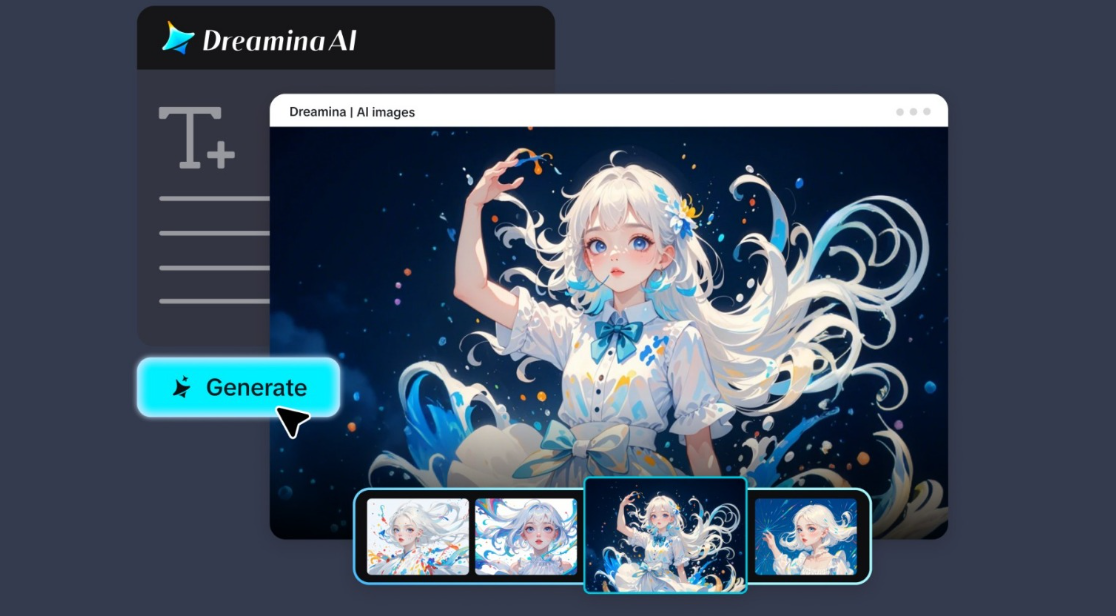 AI-Powered Image
Let's take a look at the process you're able to use to quickly and easily get impressive visuals out of your ideas.
Why speed is important in modern creativity
Nowadays, there is no room for a lengthy creative process as everything happens so fast. But you still don't want your visuals to suffer because of the lack of time.
This is when AI image generation excels. Here's what it lets you do:
- Transform ideas into visuals on the spot
- Explore multiple creative angles in minutes
- Customize designs easily for various platforms
Instead of being confined to a single concept, it allows you to experiment and develop your vision quickly.
The 5-minute mindset: analyze, prompt, refine
Creating visually stunning images fast doesn't mean doing things rashly. On the contrary, you have to work strategically.
To make this happen, try to adopt this mindset:
- Think carefully about your idea
- Express it in a clear prompt
- Refine it based on the output
This way, you can be both fast and efficient at the same time.
How to write prompts that actually work
First things first: if you want to get quality output from your model, it's important to concentrate on writing the right prompt.
So, here is how you should approach GPT image 2 usage if you want the best results. Remember: the better and more precise your prompt is, the better the output will be.
A good prompt must cover these key elements:
- Style of work: realism, digital art, cinematic
- Lighting: glow, neon, sunlight
- Angle: close-up, wide shot, bird's eye view
- Mood: dynamic, calm, dramatic
Example:
"an interior of a modern cafe with warm lighting, wood textures, cozy ambiance, wide-angle shot, photorealistic style"
Such a detailed description allows artificial intelligence to know exactly what kind of image you would like to create and gives it more chances to make the process successful.
Some quick examples of how to use GPT image 2 model.
Do you not have any big projects to create? Don't worry - an image generator is perfect for small daily tasks too.
Here is a list of some ideas:
- Creating graphics for social media posts or ads
- Adding visuals to blog posts or articles
- Creating concept art for different creative projects
- Branding images such as posters or covers
With such possibilities, you will be able to generate images both for professional or personal use.
Lights, prompt, create: generate images with GPT image 2 in Dreamina
Step 1: Go to Dreamina’s "AI Image" feature
Firstly, open the app Dreamina and click on the "AI Image" tool that can be found on the homepage of the website. Secondly, click on the "Upload" button, after which upload a suitable image from your computer that can serve as the reference. Next, enter the instructions in the dialogue window below to create an image.
Sample prompt: Create a split-screen illustration displaying the process of designing four visuals from typing a prompt to the final design creation with color transitions, inspired by user interface, an innovative work area, modern digital art style, high luminosity, and an infographic style visual.
Step 2: Generate an AI Image
Now, choose the GPT Image 2 model, set your preferred resolution, and size of the picture. Press the "Enter" key to generate a picture that embodies your ideas.
Step 3: Save a realistic image
Four images will appear after you follow the second step. Choose the one that suits your needs and edit it with such features as inpaint, remove, etc. Finally, press the "Download" button in the upper right-hand corner of the screen.
How to make your visuals look amazing in seconds
In spite of the fact that all the hard work will be done by AI, a couple of minor changes can dramatically improve the overall image.
Pay attention to:
- Improve lighting for added depth and realism
- Improve composition for balanced visuals
- Work on textures to add details
Rather than creating multiple images, improve the one that turned out best at the very beginning.
Try different styles in just minutes
One of the major benefits of the process is speed.
Here are some options:
- Minimalist design for elegant visuals
- Cinematic style for storytelling visuals
- Bright colors for social media
Since Dreamina provides access to the free GPT image 2 model, experimenting with different styles will not cause problems for you.
Mistakes that may hold you back
Despite its apparent simplicity, there are several issues you need to avoid to avoid affecting the final outcome.
Don't:
- Write overly vague prompts ("beautiful picture")
- Overlook the importance of lighting and composition
- Hope for perfect output in one try
Treat the process as an iteration where each step takes you closer to your desired result.
Translating ideas into coherent visual identity
Once you become familiar with prompts, you are able to move beyond individual imagery and establish coherence.
This implies:
- Adopting a common style throughout several visuals
- Preserving color schemes
- Establishing an identifiable aesthetic
It is particularly applicable when branding, which requires consistent elements.
Why is this method so intuitive
The design process usually involves several programs, sophisticated user interfaces, and considerable time investment.
Artificial intelligence streamlines it.
You:
- Concentrate on concepts rather than procedures
- Create visuals faster than ever before
- Allocate more time to polish than to constructing
This ensures that everything runs smoothly and efficiently.
Conclusion: produce quicker and smarter using Dreamina
Producing visually appealing images from text descriptions does not necessarily require complex, lengthy processes. By using an AI generator like Dreamina, you can transform your ideas into impressive imagery in a matter of minutes.
The beauty of the above approach lies in its simplicity. You brainstorm, generate, edit, and download—all at once. There is no need for elaborate software or extensive knowledge of any particular tool—only creative thinking.
Thus, whenever inspiration hits, take advantage of the situation. Transform your text-based concepts into imagery immediately.
The content has been authored in collaboration with our guest contributor, Thomas.